Section 2 — The situation
Product context
Post-acquisition, MFA became a requirement — fast
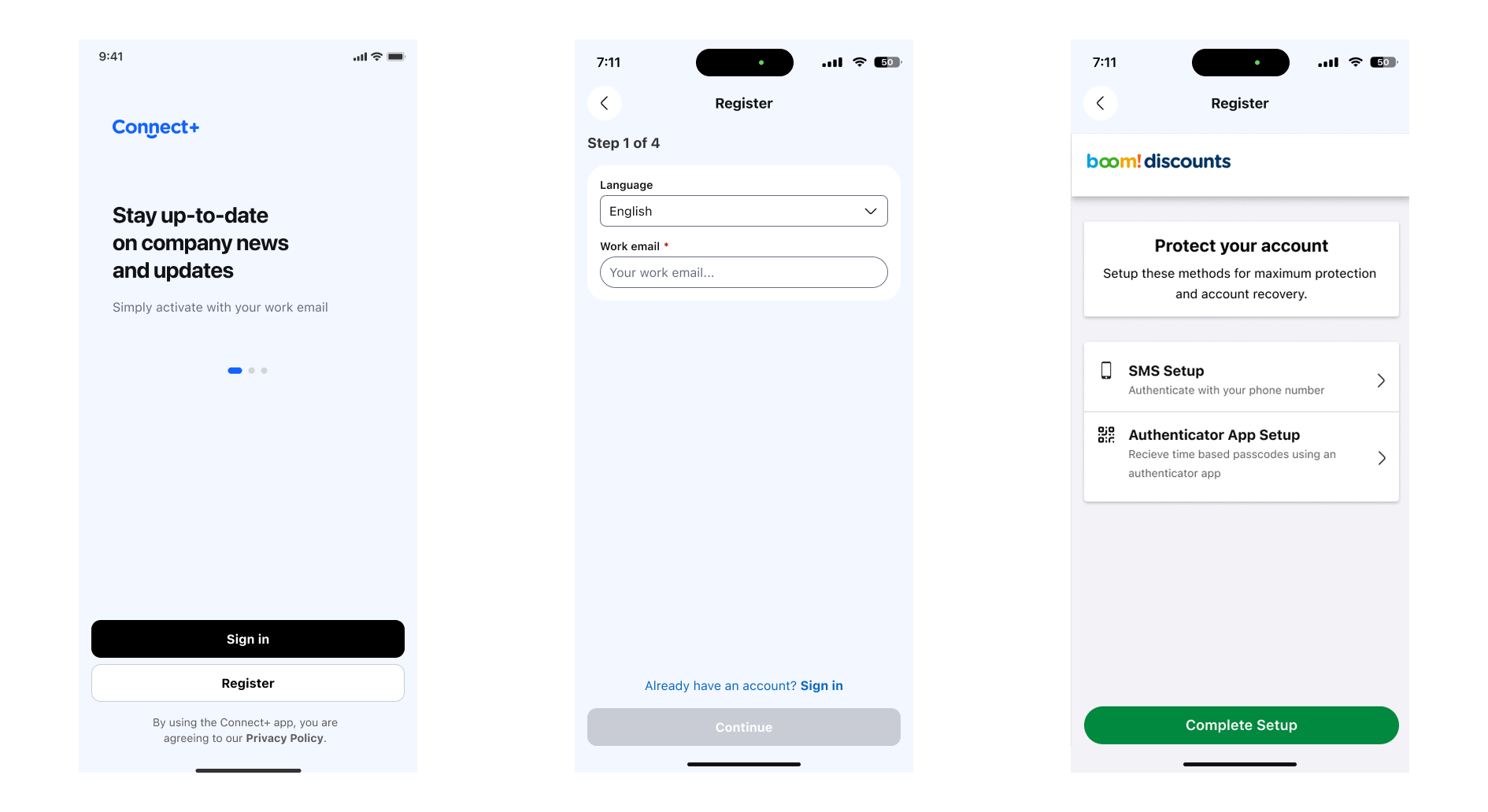
Following an acquisition, we were required to roll out multi-factor authentication to the existing user base. Many of these users had limited familiarity with authenticator apps. The client was concerned: a forced MFA step risked significant drop-off during registration. They were right to be worried — initial numbers confirmed it.
Section 3 — The research
I proposed running a short round of moderated user interviews before making any changes. Five sessions, remote, with users representative of the affected base. No assumptions about what was causing the drop-off — just watching people go through the flow and talking through what they were thinking.
Research setup
Five interviews. One clear question.
The sessions were kept tight. Participants were asked to walk through the registration and MFA setup process out loud. Observers from the product and engineering team were present — this was as much about building shared understanding as it was about data collection. The goal was to find out where people were hesitating and why.
Section 4 — What we found
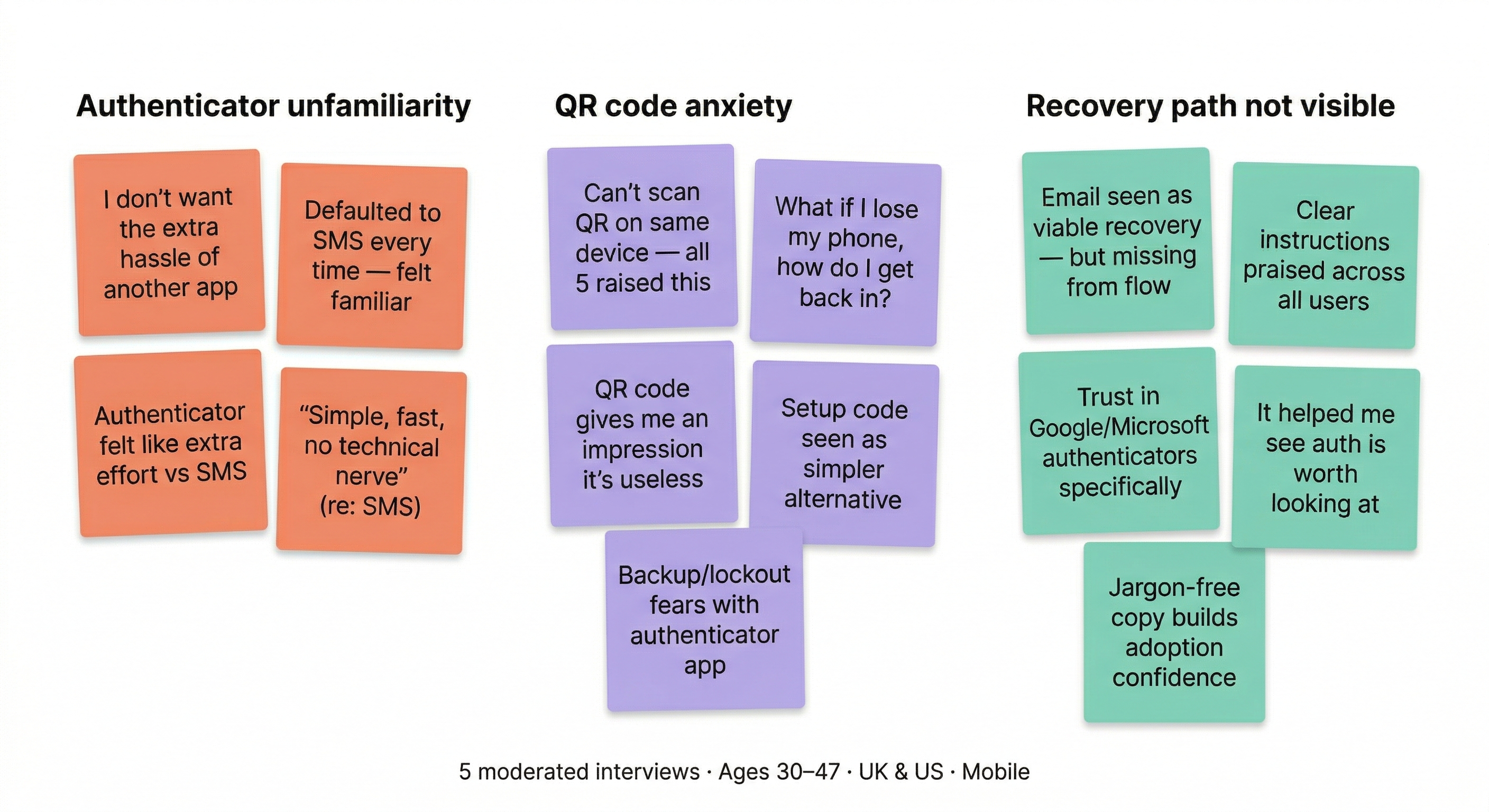
The findings were clear. Two main barriers emerged — and neither of them was the flow itself.
Barrier 1
SMS felt familiar. Authenticator apps didn't.
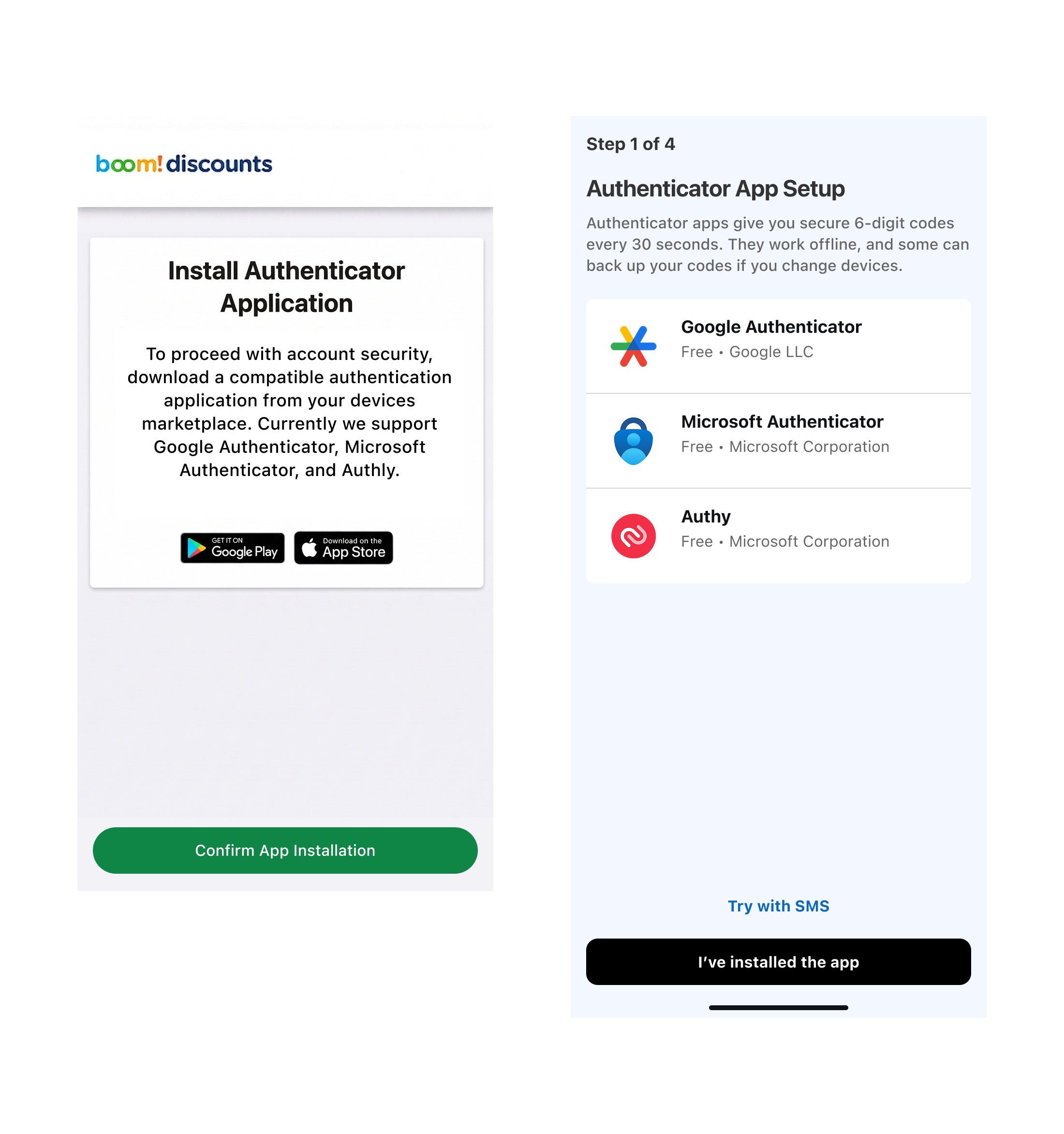
Most users defaulted to SMS verification. When they saw "authenticator app", they paused. The term was unfamiliar. They didn't know if they had one, where to get one, or what it would do to their phone.
Barrier 2
QR codes and lockout anxiety
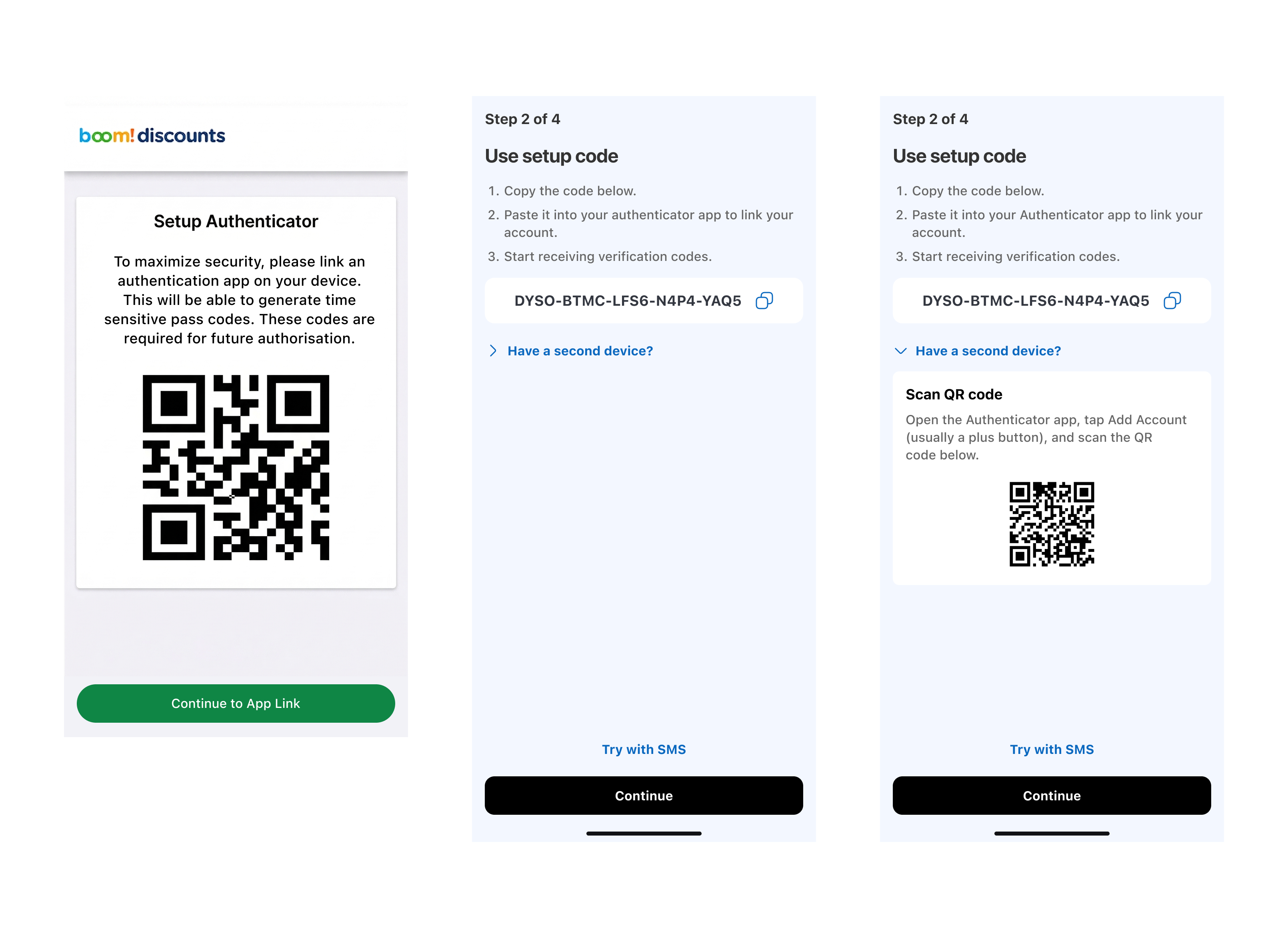
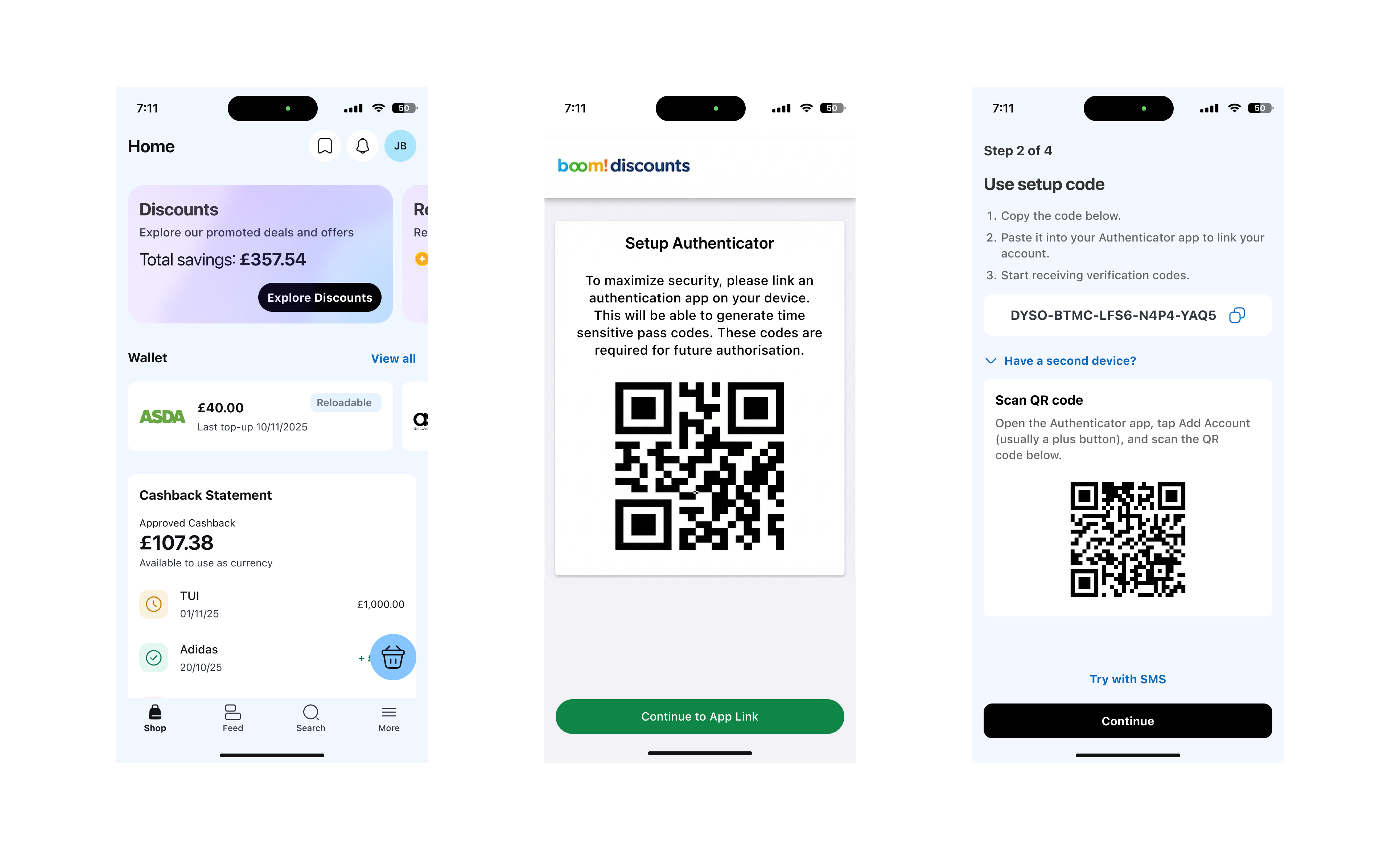
The QR code scanning step triggered uncertainty — "What if I scan it wrong?" and "What if I lose my phone?" were common responses. The copy offered no reassurance and used technical jargon that amplified the anxiety.
Key finding
Email as a fallback wasn't visible
Several participants didn't realise they could use email as a recovery option. This was the most actionable finding — the option existed in the flow, but the copy didn't surface it at the moment users needed reassurance.
Section 5 — The constraint
The lever available to us
The web team couldn't change the flow. Copy was the only tool.
Engineering timelines and the acquisition deadline meant the underlying MFA flow couldn't be changed. We couldn't reorder steps, remove the QR code, or add a new SMS-first path. Every intervention had to happen through copy alone — labels, microcopy, error states, and helper text. This was the constraint that made the research even more valuable: it told us exactly where to put the words.
Section 6 — What we changed
With the research findings in hand, I rewrote the copy for the MFA setup flow. The changes were targeted and specific.
Before
Jargon-heavy, assumed knowledge
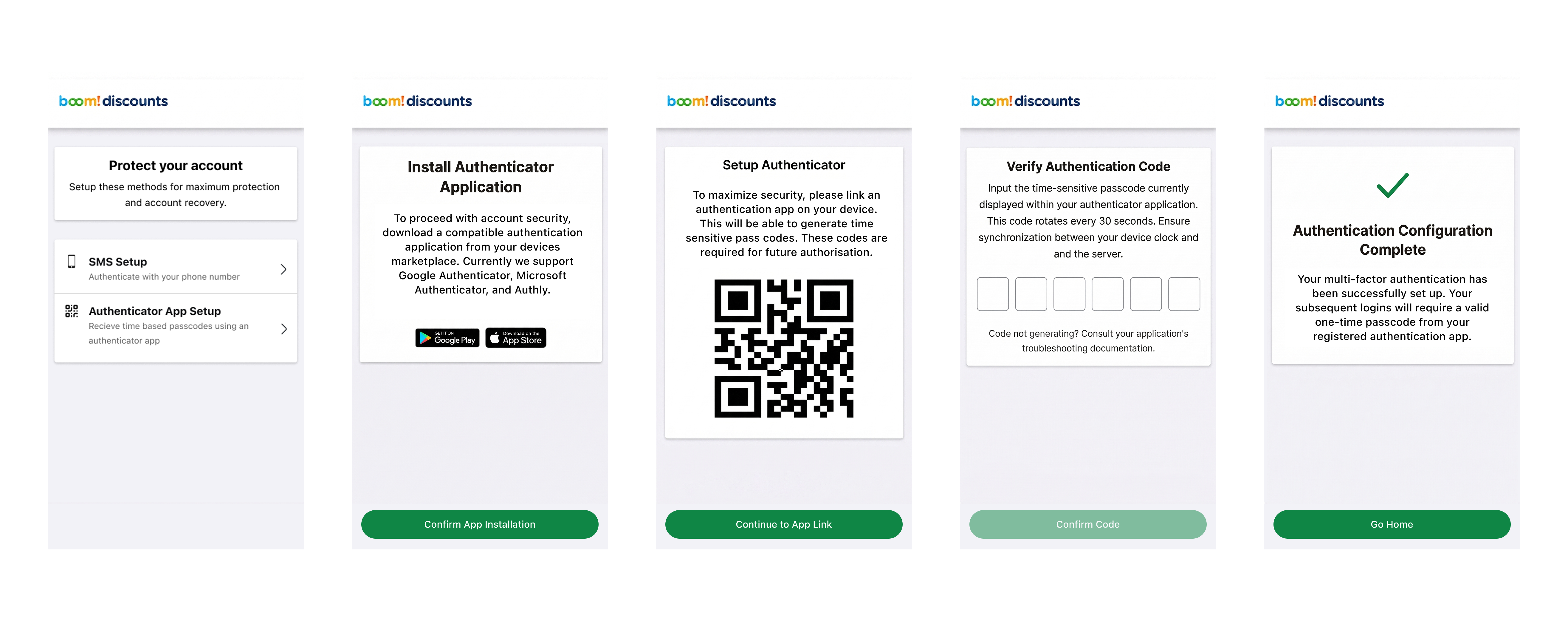
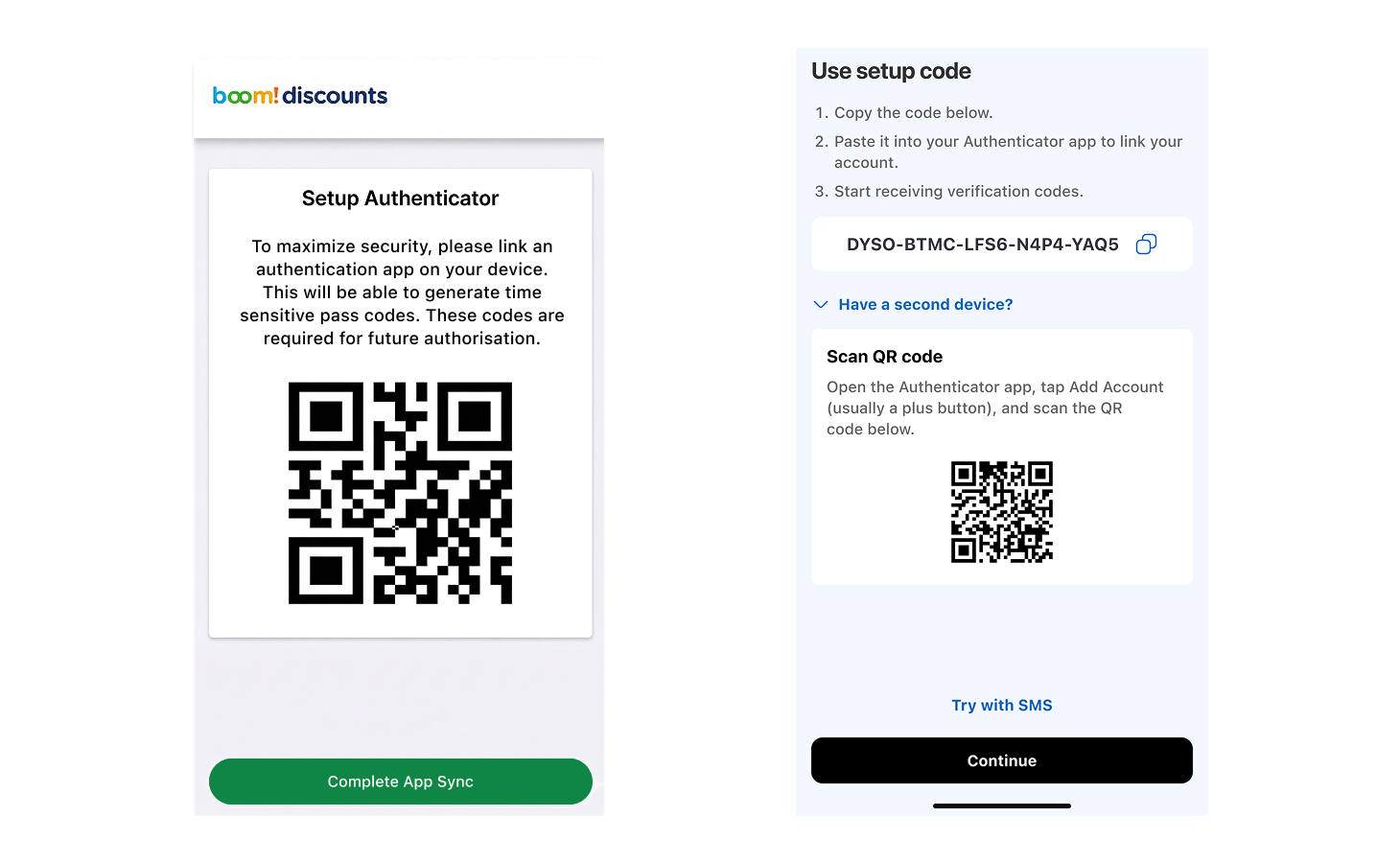
"Configure your TOTP authenticator application using the QR code below. Scan to register your device and generate one-time passcodes."
After
Plain language, reassurance first
"Use your phone to scan the code below. This links your account to an app that generates login codes. You only need to do this once."
Before
Email recovery buried
Email as a fallback option existed in the flow but wasn't mentioned at the point of anxiety — the QR code step.
After
Email recovery surfaced early
Added a brief reassurance note at the QR step: "If you ever lose access, you can recover your account via email." One sentence. Reduced anxiety in every subsequent test.
Section 7 — The outcome
Result
Drop-off fell from 22% to 7%
Following the copy changes, MFA registration drop-off fell from 22% to 7%. The flow hadn't changed. The technology hadn't changed. Only the words had changed — but they had changed in exactly the places the research told us to look.
"Research isn't just about understanding the problem. It's about knowing where to intervene."
Section 8 — User quotes
From the research sessions, after copy revisions were tested:
"Pretty simple to me. I just scanned it and it worked. Didn't need to think about it much."
Participant 3 — post-revision test
"I prefer the phone, it was really short. Felt like it was guiding me through."
Participant 5 — post-revision test
Section 9 — What I took from this
Reflection
Research as an advocacy tool within constraints
The biggest lesson from this project wasn't about copy — it was about using research to advocate for the right intervention when the obvious paths are closed. The engineering team couldn't move quickly. The flow couldn't be changed. But the research gave us a clear, targeted brief that didn't require anyone to do more than they could. That's research doing its job: not just revealing problems, but shaping the solution space.